The AI Agent Command Center
One dashboard for your Claude Code agent teams. Org map, chat, kanban, crons, cost tracking, activity console, and memory browser — tame the sprawl.
Everything you need to manage your agent team
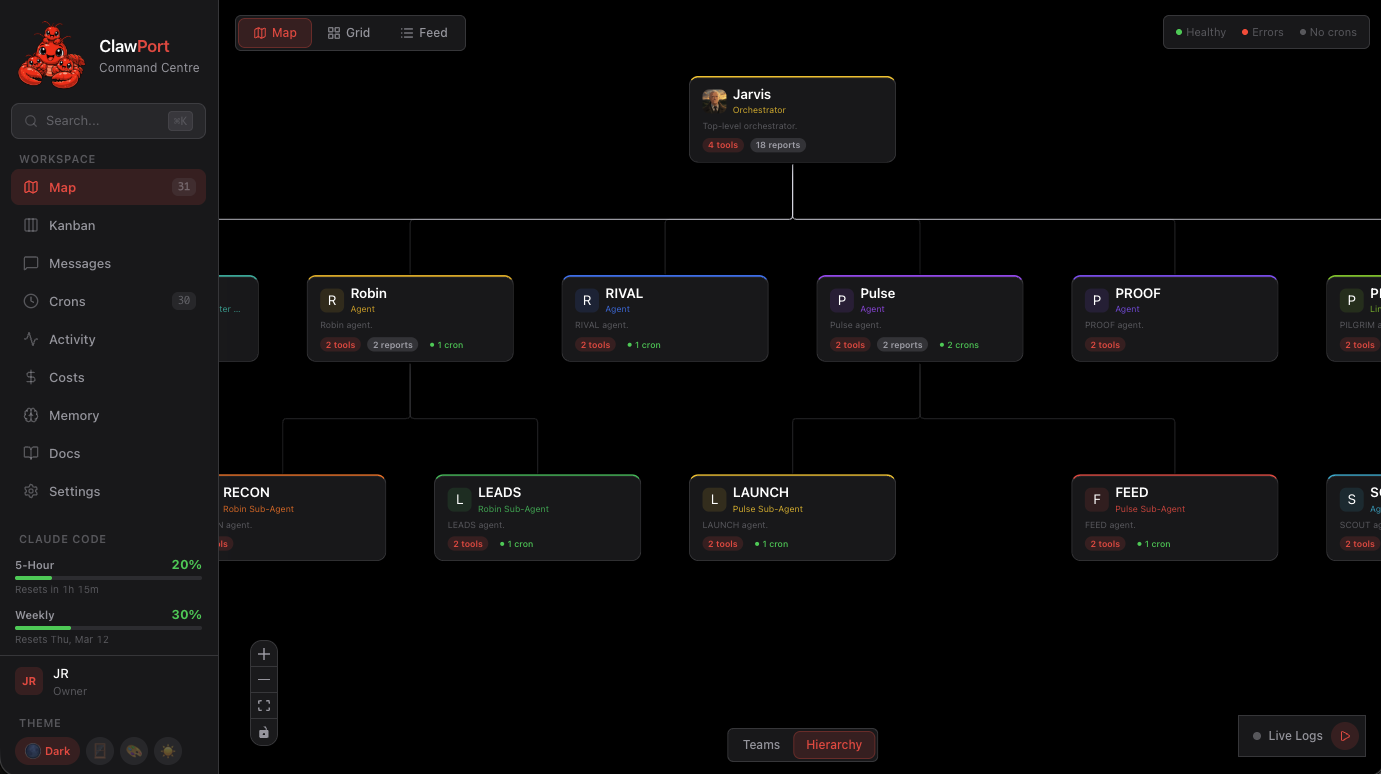
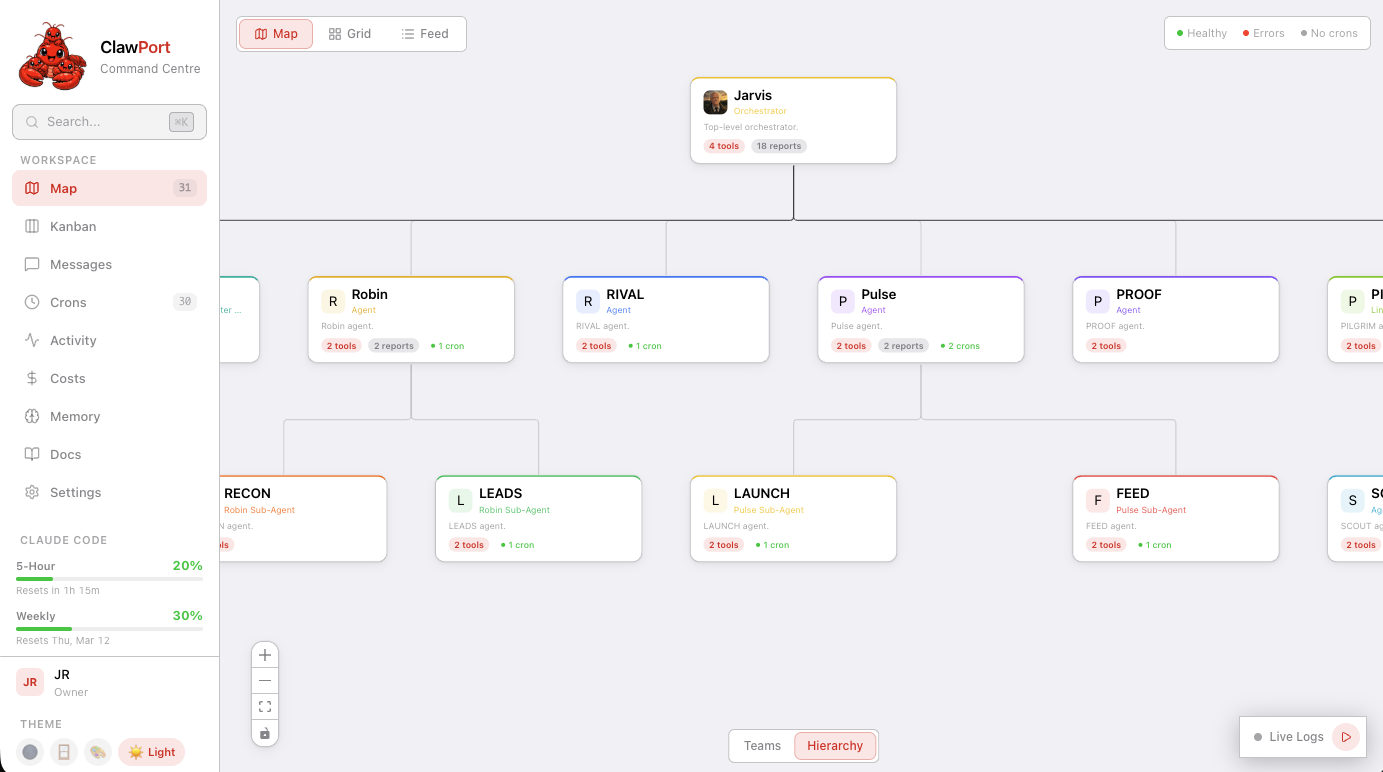
Org Map
Visualize your entire Claude Code agent hierarchy. See team structure, real-time status, capabilities, and CLAUDE.md context at a glance — from orchestrators down to sub-agents.
Agent Chat
Message any agent directly. Review outputs, provide feedback, and steer work in a familiar chat interface. No more context-switching between terminal sessions.
Kanban Board
Drag-and-drop task management for your agent team. Track what's queued, in progress, and done — so you always know where every agent stands.
Cron Pipelines
Schedule and monitor recurring agent jobs. View pipeline DAGs, execution history, and failure alerts. Pause, resume, or trigger runs from the UI.
Cost Dashboard
Token usage and cost analysis across all cron jobs. Daily cost chart, per-job breakdown, model distribution, anomaly detection, and cache savings.
Activity Console
Log browser for historical events plus a floating live stream widget. Click any log row to expand the raw JSON. The live stream persists across navigation.
Memory Browser
Browse and search agent memory files across your team. See what each agent knows, edit shared context, and keep your multi-agent system aligned.
Fully Customizable
Five themes, configurable layouts, and an extensible OpenClaw architecture. Onboarding wizard, accent colors, and operator identity.
See it in action
Every view you need to manage your agent team
Get started in 3 steps
From zero to dashboard in under 5 minutes
Install
One command to install ClawPort globally via npm.
Configure
Auto-detects your OpenClaw workspace, gateway, and auth token.
Launch
Open the dashboard and start managing your agent team.
Install
One command to install ClawPort globally via npm.
Configure
Auto-detects your OpenClaw workspace, gateway, and auth token.
Launch
Open the dashboard and start managing your agent team.
Questions
What is ClawPort?
ClawPort is the open-source AI agent command center for Claude Code agent teams. It gives you a visual org map, agent chat, kanban board, cron pipeline monitor, cost dashboard, activity console with live log streaming, and memory browser — one dashboard to tame agent sprawl and manage your entire agentic coding workflow.
What is OpenClaw and how does ClawPort relate to it?
OpenClaw is an open-source ecosystem for AI agent tooling. ClawPort is built on top of OpenClaw and serves as the visual command center for teams running Claude Code agents. It reads your existing OpenClaw agent definitions and CLAUDE.md files — no migration needed.
Is ClawPort free?
Yes. ClawPort is 100% free and open-source under the MIT license. No paid tiers, no feature gates, no telemetry. Free forever.
Does my data leave my machine?
No. ClawPort runs entirely locally. It reads your agent configuration files, CLAUDE.md, and memory files from disk. Nothing is sent to external servers — your code, prompts, and agent data stay on your hardware.
Does it work with Claude Code agent teams and sub-agents?
Yes. ClawPort is purpose-built for Claude Code agent teams. It auto-detects your agent hierarchy — orchestrators, team leads, sub-agents — and displays them in the org map. It works with parallel agents, background agents, and agent swarms.
What about MCP servers?
ClawPort reads your MCP server configuration and displays connected servers alongside agent capabilities. You can see which agents have access to which MCP tools at a glance.
How does ClawPort compare to terminal-based agent managers?
Terminal managers like tmux-based solutions give you session multiplexing. ClawPort gives you a full visual dashboard — org maps, kanban boards, pipeline DAGs, and memory browsing. It's the difference between managing agents in a terminal and managing them in a purpose-built command center.
What are the requirements?
Node.js 22+ and a running OpenClaw instance. Install globally with npm, run clawport setup to auto-detect your workspace, then clawport dev to launch the dashboard.
Can I manage agent sprawl across multiple projects?
ClawPort currently focuses on one project at a time. Point it at any Git repo with Claude Code agents and it auto-detects everything. Multi-project support is on the roadmap.
Who built ClawPort?
ClawPort is built by John Rice and the OpenClaw community. It's part of the OpenClaw ecosystem of open-source AI agent tooling — built by developers, for developers managing agentic coding workflows.
Get started in 5 minutes
Install ClawPort, run setup, and see your entire agent team in one dashboard.
MIT License. Free forever. Buy me a coffee if it helps.